
Searching Cases by Name
The County Clerk's Local Government Solutions portal offers the clearest official name search. Its advertised categories cover probate, misdemeanor A/B criminal records, land records, and marriage, birth-index, and death-index records. It is not a search of the whole Fisher County court system.
- Open the official County Clerk link to the Local Government Solutions portal.
- Use Guest Login for index and preview access, or create a free verified account if an image may be needed.
- Select Search, the correct office, and the specific record type before entering criteria such as a last name.
- Review paginated results and choose More Information before selecting Images.
- Record the case or record identifier, category, spelling, and search date, then confirm the match with the clerk.
- If nothing appears, widen name or date variants and check the District Clerk, JP, Rotan court, or statewide layer as appropriate.
Spelling drives the results. A legal name, married name, initials, a suffix, punctuation, or an entity spelling can each change what comes back. For a business, use the exact entity name. For a criminal matter, first decide which court it belongs to: county misdemeanor, district felony, JP Class C, or Rotan municipal business.
| Field | Type | Required | Notes |
|---|---|---|---|
| Office | Selector | Yes | Choose the custodian represented in the portal. |
| Record type | Selector | Yes | Filters change by category, such as Criminal or Civil. |
| Name or criteria | Text/filter | Search dependent | The official FAQ gives last name as an example but does not publish every field. |
| Results pages | Navigation | No | Review all likely pages before concluding there is no match. |
Fisher County Cases Start With the Court
Which office holds the file is the real question. County Clerk Pat Thomson keeps constitutional county court records. That office also holds probate and the advertised misdemeanor A/B index records. District Clerk Gina Pasley holds felony, family, and major civil cases. Her office also keeps contested probate, judgments, orders, service, and other district records. The Justice of the Peace handles countywide traffic, Class C, small civil, and magistrate matters. Rotan Municipal Court keeps city ordinance and municipal Class C cases.
Choose the Fisher County custodian
County Clerk: 325-776-2401, 109 N. Angelo Street, Roby, with mail to PO Box 368.
District Clerk: 325-776-2279, 112 North Concho Street, Roby, with mail to PO Box 88.
Justice of the Peace: 325-776-2482 at the Fisher County Courthouse.
Rotan Municipal Court: 325-735-2251 or Shana@cityofrotan.org.
Neither court posts an online case-search form. Call or ask at the counter with a citation number, a full name, an approximate date, and the issuing agency. Mail works too. Spell out the record and the precise date range.
Searching by Case Number
A cause or case number beats a name. It points to one court file. Copy every letter, year marker, dash, and leading zero. Match the clerk or the notice display exactly. Fisher County's public sources publish no single number pattern across all courts, so never substitute a made-up format.
Give the office the literal form exact cause or case number as shown, along with the court and case type. A district cause number entered in the County Clerk portal can fail. That office is not the district custodian. The case may still be active.
Part of a number may be unreadable. Then supply the party name, an approximate filing date, the case type, and the known court. Ask the clerk to return the official number and docket or index information. A citation number may belong to the JP or Rotan Municipal Court rather than a county or district index.
Fisher County LGS Portal Limits
Guest Login shows index information and a preview. Full image purchases are not open to guests. Registered users can buy images. The County Clerk FAQ says five court-case images can be viewed before a subscription is required, and each purchase carries a $0.30 transaction fee. The service also says it does not store credit-card data.
More Information, Images, Add to Cart, checkout, download, purchases, and receipts make up the documented workflow. An index hit is not a full docket. Some categories carry less public detail, and a recent item may still await indexing. Check the record context before paying for an image.
No online result is not a final answer. The record may sit with another Fisher County court, be recent, transferred, restricted, sealed, expunged, or outside the portal’s advertised categories.
What a Case Search Returns
A Fisher County case search may return an index line, event data, or a link to a document, depending on the court and the access level. Fields vary. Treat the inventory below as a practical guide, not a promise that every field appears.
| Court and county | The court that filed or heard the case and the county assignment. |
|---|---|
| Cause or case number | The exact identifier used by that court. |
| Style or caption | Public party names and roles, subject to privacy limits. |
| Case type and filed date | The category and opening date. |
| Events and settings | Filings, orders, resets, hearings, or trial dates, if exposed. |
| Disposition | The official outcome wording when public, which should be checked against the order or judgment. |
| Images | Copies that may require login, payment, or direct clerk request. |
A charge is not a conviction. A civil petition is not a finding. A calendar setting only shows a planned hearing, so when the result matters, read the newest dated entry and the order underneath it.
Fisher County Search Through re:SearchTX
The official re:SearchTX portal adds a statewide supplemental layer. Registered users search participating records there.
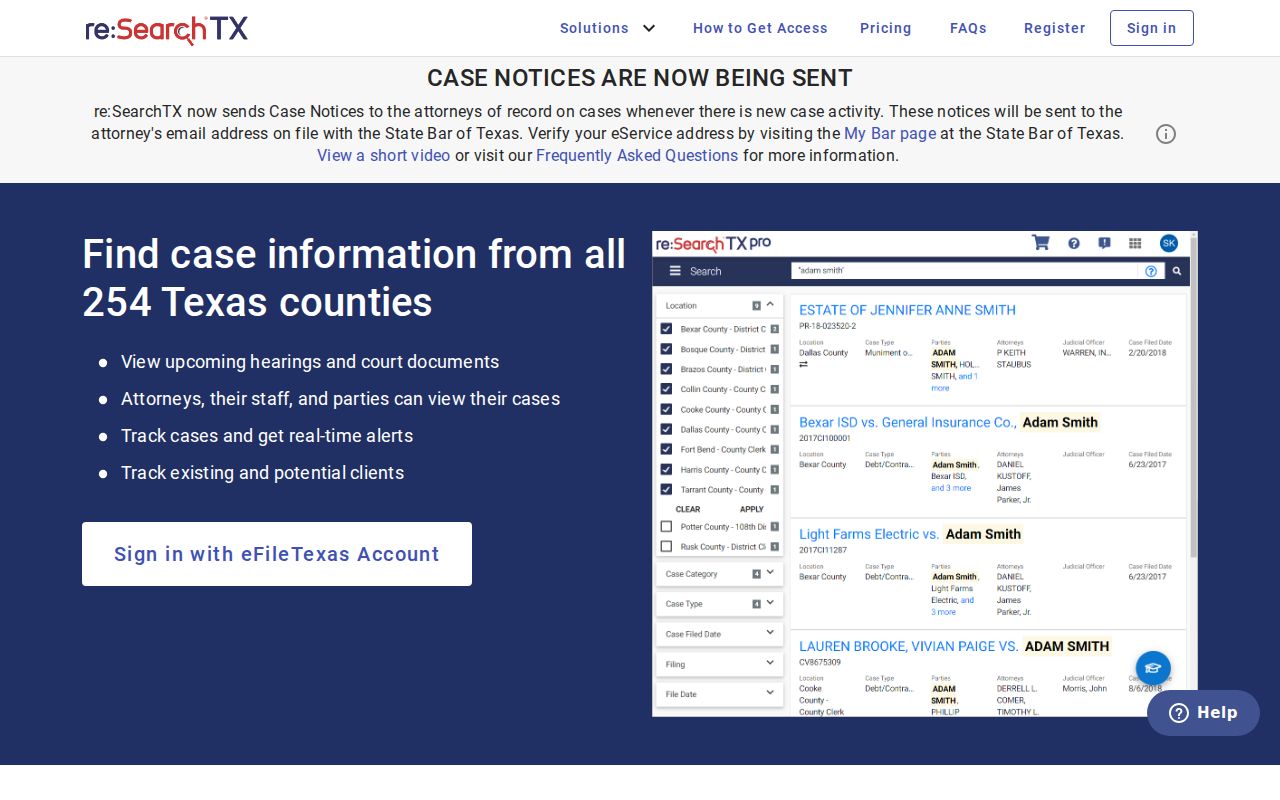
The portal offers Cases, Filings, Text in Documents, and Hearings views, plus filters, case-detail links, hearing details, export, and saved searches. Log in with eFileTexas credentials, or register. Confirm coverage and every material result with the local Fisher County clerk.
Statewide vs County Case Search
The two systems do different jobs. The Fisher County portal is the primary online index for the County Clerk categories it advertises. re:SearchTX reaches participating Texas records. Its official reporting describes an ongoing integration, and criminal case records stay out of the general document collection.
| Search layer | Best use | Important boundary |
|---|---|---|
| County Clerk LGS | Probate, misdemeanor A/B, and other advertised county categories | Not the district, JP, municipal, or complete countywide docket |
| re:SearchTX | Participating statewide cases, filings, text, and hearings | Coverage must be confirmed; general collection excludes criminal case records |
| Direct clerk request | District records, copies, certification, and portal gaps | Must go to the correct custodian and may involve fees |
| JP or Rotan contact | Class C, traffic, and municipal cases | No official public lookup form was located |
The state integration named November 1, 2025 as the target for local case-management integration. Whether every Fisher County historical record is present is not guaranteed. Verify locally.
Fisher County Case Request Fallback
Portals break. The clerk counter still works, and so do phone, mail, and written requests. A good Fisher County request names the party. Include the date range, the case type, and the document you want. Add a cause number if you have one. The District Clerk's form lets you state delivery and electronic-copy preferences, and it warns that charges may apply. Expect the office to ask you to clarify or narrow a request that sprawls.
County records work a bit differently. Copy requests by email or fax are documented for county filings. Anything sent by USPS mail must go to the County Clerk's PO Box. The street address receives no postal delivery. District requests go to the Roby counter or PO Box 88. Ask about cost before processing. Say which format you need. It may be a plain electronic image, a certified copy, an exemplified copy, a clerk's record, or just docket information.
The governing law depends on the record itself. Texas Rule of Judicial Administration 12 covers defined judicial records, while the Texas Public Information Act reaches certain non-adjudicative government records. Courts generally sit outside the TPIA when it comes to adjudicative case records. So ask the clerk which procedure controls instead of labeling every request as TPIA.
Access and Restricted Cases
Some records stay closed. Juvenile information is restricted. Texas Family Code Chapter 58 governs that restriction. Protective-order files can shield addresses, counties, phone numbers, and other protected-person information under Chapter 85. Adoption records, sealed filings, protected identifiers, juror information, expunged records, and nondisclosed records may also be unavailable or redacted. The docket can list a case while the paperwork behind it stays out of reach.
Texas Rule of Civil Procedure 76a sets the standards for sealing civil court records. A sealed marker is a legal status. It is not a portal error. The 32nd District Court also posts sealed-document handling instructions. A standing order covers juror information. Never try to bypass access controls or guess at the contents of an unavailable filing.
Is access denied? Ask the clerk which rule, order, or process applies. Ask whether a public docket entry can be provided instead. Describe what you saw accurately. The official index showed a restricted entry while the underlying document was unavailable. That is different from claiming the record never existed.
Fisher County Search Layers Since 2014
Fisher County now runs on several separate tools. District civil and family e-filing became mandatory on July 1, 2014. Exceptions apply. The County Clerk uses Local Government Solutions for index and image access. re:SearchTX began statewide operation in late 2018. It still depends on local integration. The 32nd District Court publishes its agenda calendar separately.
None of these layers replaces the office that holds the original record. eFileTexas submits filings. re:SearchTX searches participating statewide material. LGS exposes certain County Clerk indexes and images. The district agenda shows settings. A full docket search may take more than one layer, followed by a clerk check.
Match the task to the tool. Use filing systems to file, search systems to locate, calendars to check settings, and the clerk to verify or obtain the official record.